No1 Rule: Always Backup Your Data
Cloud Storage
Up to 1TB capacity
Multi-Device
Phone, Tablet, Laptop
Secure
Encrypted transfers
Private
Your data, your control

Setup Your Cloud Storage in a Few Clicks
Choose a Storage Plan
Starting small? Go with the BWP 60/mo 100GB plan. Need more space? Select the BWP 180/mo 500GB plan or BWP 260/mo 1TB plan. You can always upgrade as your needs grow.
Proceed to Checkout
After selecting your desired Storage Plan, proceed to checkout. Once you've completed the payment process, your storage will be provisioned and you'll receive your access credentials.
Connect and Upload
Finally, connect to your cloud storage using SSH, FTP, SFTP, or the web-based file manager. Upload your files, set up automated backups with rsync or rclone, and manage your data securely.
Pricing
Choose the right plan for you
Save 16%

Storage Box 100GB
P60/month
Save 16% with yearly billing
Get 100GB- 100GB Available Storage
- Modern GUI
- Use on Phone/Tablet/Laptop
- SSH/FTP/SFTP/SCP/FTPS
- rsync/rclone
- Usable as network drive
Storage Box 250GB
P120/month
Save 16% with yearly billing
Get 250GB- 250GB Available Storage
- Modern GUI
- Use on Phone/Tablet/Laptop
- SSH/FTP/SFTP/SCP/FTPS
- rsync/rclone
- Usable as network drive
Storage Box 500GBPopular
P180/month
Save 16% with yearly billing
Get 500GB- 500GB Available Storage
- Modern GUI
- Use on Phone/Tablet/Laptop
- SSH/FTP/SFTP/SCP/FTPS
- rsync/rclone
- Usable as network drive
Storage Box 1TB
P260/month
Save 16% with yearly billing
Get 1TB- 1TB Available Storage
- Modern GUI
- Use on Phone/Tablet/Laptop
- SSH/FTP/SFTP/SCP/FTPS
- rsync/rclone
- Usable as network drive
Perfect for Every Use Case
From personal backups to enterprise deployments, Storage Box adapts to your needs.
Automated Backups
Schedule automated backups from your servers using rsync or rclone. Perfect for database dumps, application backups, and disaster recovery.
Network Drive
Mount your Storage Box as a network drive on Windows, Mac, or Linux. Access files just like a local hard drive.
SSH/SFTP Access
Secure shell access with SFTP, SCP, and FTPS protocols for encrypted file transfers. Perfect for automation and scripting.
Developer Friendly
Access your Storage Box via modern protocols in your applications. Setup Cronjobs to regularly run you backups. Offload static files, logs, and archives from your web servers.
24/7 Availability
Your files are always accessible with 99.9% uptime guarantee. Access your data whenever you need it, day or night.
Local Support
Get help from our Botswana-based support team who understand your needs. No outsourced call centers.
Works with your favorite tools
FileZilla, WinSCP, Cyberduck, Transmit, rclone, rsync, and more. Use the tools you already know and love.
Modern Web Interface
Manage your files effortlessly with our intuitive web-based control panel. No technical knowledge required.
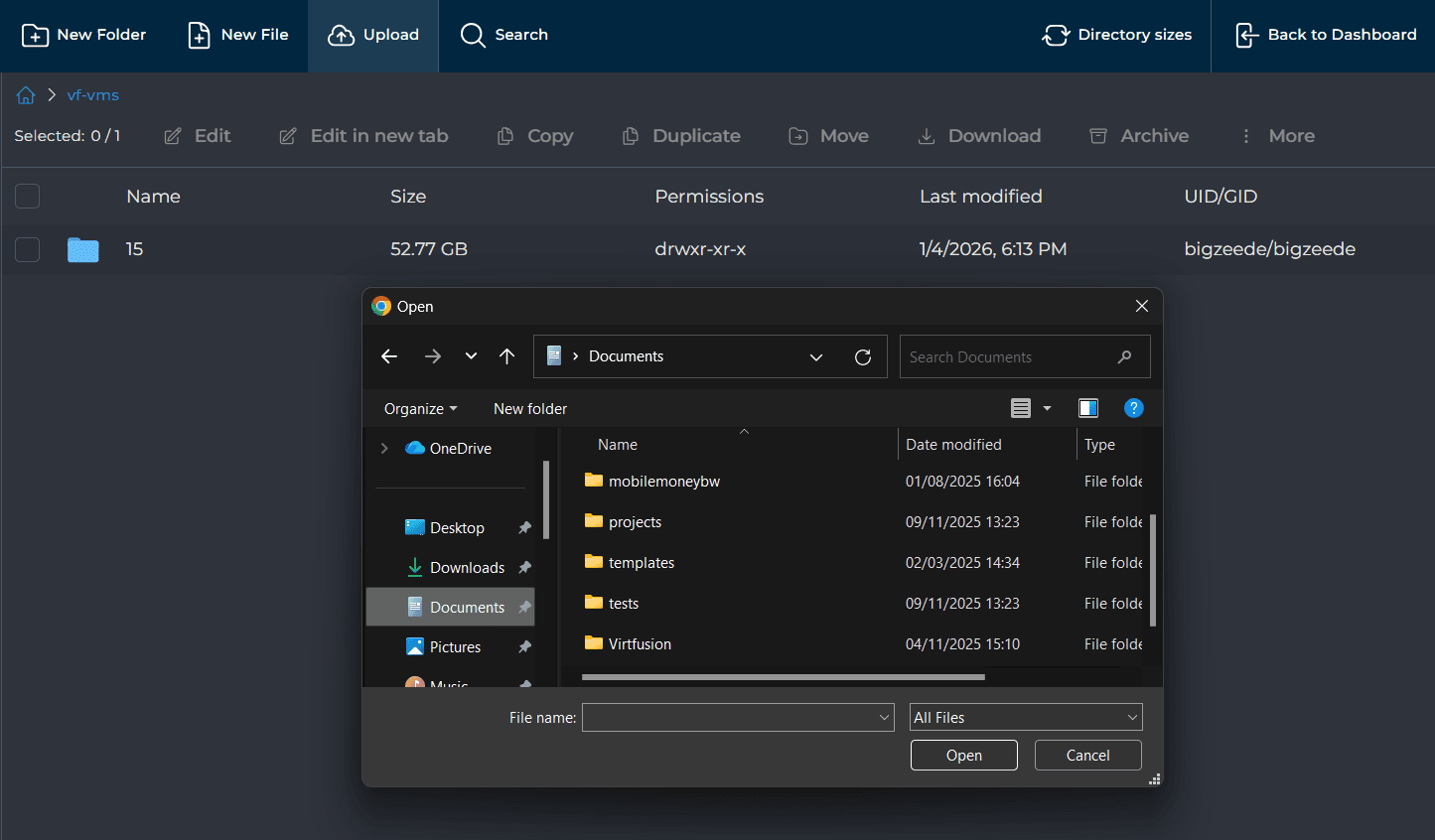
Bulk Upload
Upload multiple files and compressed folders
Storage Analytics
Monitor your storage usage and file statistics
Access Control
Manage permissions and user access rights
Configuration
Easily configure FTP, SSH, and sync settings
Access Anywhere
Use the web interface from any device with a browser. No installation required.
The 3-2-1 Backup Rule
A time-tested strategy to protect your data against hardware failure, human error, malware, and disasters.
Copies
Keep Three Copies
Maintain your primary data plus two backup copies. This ensures redundancy at every level.
1 Primary + 2 Backups
Active data with redundancy
Primary
Backup 1
Backup 2
Media Types
Different Storage
Store copies on different media types: SSD, HDD, cloud, or tape. This protects against technology-specific failures.
No single technology failure can compromise all copies
Off-site
Remote Location
Keep one copy off site, in the cloud or another data center. Protection against theft, fire, floods, or ransomware.
Our Cloud Storage
Your off-site backup solution
Ready to backup your data?
Let's get started!
Whether you need help choosing the right storage plan, have questions about setup, or want to discuss your backup strategy, we're here to help.

Frequently Asked Questions
Have questions about our Storage Box service? Check out our answers below or contact our support team.